
In 2025, Notion launched its AI Meeting Notes feature, promising that every meeting now lands straight in your workspace – transcript, summary, and action items, all on a single Notion page. No bot, no separate app, no export headaches. It sounds like a dream for anyone already living in Notion.
After a few months of real-world use, a clear picture emerges: Notion AI Meeting Notes is a solid recording and summarization feature, but not a serious meeting assistant. For a single Notion power user, it's a nice extra. For a team that needs to know who said what, wants to turn meetings into structured tasks, and must work in a GDPR-compliant way in Europe, the tool hits its limits fast.
In this review, we look at what Notion AI Meeting Notes can actually do in 2026, where it falls short, and what it costs. Then we compare it directly to Sally, the AI meeting assistant built and hosted in Germany, and show which tool fits which type of team.
What Is Notion AI Meeting Notes?
Notion AI Meeting Notes is a native feature inside Notion, publicly available since May 2025. It captures your device's system audio (microphone and speakers), transcribes in real time, and after the meeting ends, automatically generates a summary with action items on a native Notion page.
The key facts:
- Recording: System audio capture, no meeting bot
- Languages: 16 (including English, German, French, Spanish, Japanese, Dutch, Swedish)
- Platforms: Zoom, Microsoft Teams, Google Meet, FaceTime, Slack Huddles, YouTube – anything that produces system audio
- Devices: Desktop app (macOS 13+, Windows), iOS and Android
- Pricing: Only available on the Business plan starting at $20 per user/month (billed annually) or $24 (monthly)
- Output: Transcript + AI summary + action items on a native Notion page
- Hosting: United States (AWS), GDPR transfers via Standard Contractual Clauses
The approach is fundamentally different from classic tools like Otter, Fireflies, or Sally: instead of sending a bot into the meeting, Notion grabs audio directly from the system. That has advantages – and it has drawbacks. We'll cover both in detail.
What Notion AI Meeting Notes Does Well
Let's give credit first: Notion didn't build the feature poorly. For its target audience – users already deep in the Notion ecosystem – three things genuinely stand out.
No Bot in the Meeting – No Trust Issue
The biggest architectural difference from most other meeting tools: Notion doesn't send a bot into your meeting. The tool records audio locally on your device. You don't see a "Fred", an "Otter", or a "fathom.ai bot" in the participant list.
For meetings with external parties – especially in regulated contexts, job interviews, or industries like legal and healthcare – that's a real advantage. Many participants flatly refuse bots. With Notion, that friction disappears entirely.
Seamless Integration Into the Notion Ecosystem
The transcript doesn't land in a separate tool but as a fully-featured Notion page in your workspace. That means you can attach the meeting page directly to projects, link it to databases, add comments, assign it via @-mentions, and turn action items into entries in your existing task databases. This isn't a meeting tool with Notion export, it's Notion with a meeting feature bolted on.
For a team whose entire project world lives in Notion, this is the best part of the feature. You no longer jump between notes and project. Both sit in the same place.
Summaries That Are Immediately Usable
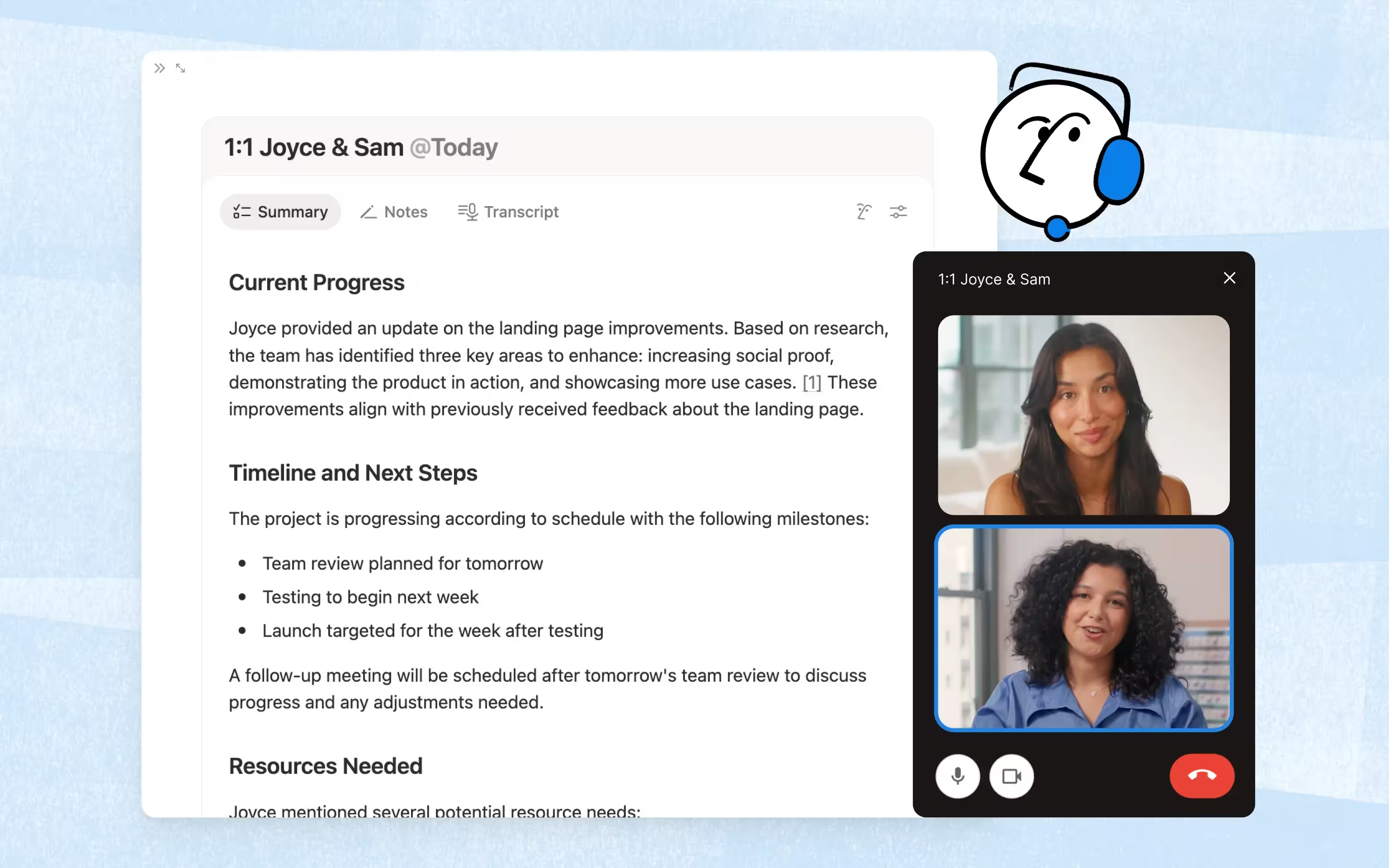
The AI summaries are cleanly structured: a short executive summary, then key decisions, discussion points, and action items. The format is consistent, and the quality for simple internal meetings is good. Many users report saving 15–20 minutes of post-meeting cleanup. That's real and not to be underestimated.
Notion offers four template variants – Auto, Sales, Stand-up, Team Meeting – that slightly adjust the summary structure. Auto-detection works cleanly in around 70% of cases in our testing; the rest have to be selected manually.
Where Notion AI Meeting Notes Falls Short: The 8 Biggest Weaknesses
So much for the good. Now for the honest accounting: Notion AI Meeting Notes is clearly behind the state of the art in several dimensions – and this isn't opinion, it comes straight from Notion's own help pages and from real-world use.
No Speaker Identification – The One That Kills It
The biggest criticism, confirmed by Notion's own help documentation: Notion does not identify speakers. The transcript appears as a single continuous block of text in which you can't tell who said what. When the AI detects a speaker change, it does start a new paragraph – but without labels.
For solo audio journals or brainstorms with a single microphone, that doesn't matter. For anything else, it's fatal:
- Sales: You can't attribute objections to the prospect
- Recruiting: Candidate statements land in the same block as your questions
- Customer support: No traceability of who made which commitment
- Executive meetings: Decisions can't be cleanly attributed to decision-makers
Sally, tl;dv, Fireflies, Fathom, Otter, and virtually every other professional tool have solved this for years. Notion hasn't.
Audio Only – No Video, No Screen
Notion records audio exclusively. No video, no screen sharing, no playback. This sounds like a detail, but in daily use it's a problem:
- Demos can't be reviewed
- Whiteboards and shared slides disappear
- Emotional nuance ("how did they mean that?") is gone
- Onboarding new team members doesn't work via the recording because there's nothing to see
Anyone who wants to replay a specific moment of a meeting has to record in parallel with Zoom or Teams – landing right back in the tool-switching world the feature was supposed to eliminate.
No Auto-Join – You Have to Start It Yourself
Notion AI Meeting Notes has no calendar automation that triggers recording. For every meeting, you have to open the desktop app, pick the right Notion page, and manually hit "Start." That's a massive difference from tools like Sally or Fireflies, which auto-join any meeting on your calendar.
The consequence: you forget to record exactly when the meeting is important. Anyone who has used meeting tools for a while knows this moment – and knows why auto-join matters so much.
The dilemma in a nutshell: Notion stops at "human prompts AI → human transfers outputs", while modern tools automate the step before and after.
No Native CRM Integrations
This is the second big gap – and it's intentional. Notion has no native CRM integration for HubSpot, Salesforce, Pipedrive, Zoho, Dynamics, Odoo, or Bitrix24. The underlying philosophy: everything should stay in Notion.
For a sales team, that's a dealbreaker. Meeting notes that don't automatically attach to the deal in the CRM are notes nobody reads. A sales rep who has to jump between Notion, Slack, and HubSpot after every call has one workflow too many.
There are workarounds – Notion API plus Zapier, custom automation, manual copy-paste. But that's the exact opposite of what a meeting assistant should be for.
Consent Is Entirely Your Problem
Notion writes explicitly in its own privacy documentation that obtaining participant consent is entirely your responsibility. There are no auto-injected disclosures, no opt-in flows, no record of whether and when consent was given.
In Germany, Austria, and Switzerland, that's essentially a minefield. Two-party consent laws apply to many setups, and employers must be able to prove compliance. A tool that leaves this work entirely to you is, for companies with a works council or DPO obligation, a constant source of friction.
German Transcription: Passable, but No Dialects
Notion supports 16 languages including German. In our tests, the quality of German transcription is noticeably below Sally or Bliro, both specifically optimized for the DACH region. Two areas stand out:
- Regional dialects (Swiss German, Austrian German, Bavarian, Low German) are often transcribed incorrectly or ignored
- Industry terms and proper nouns from the German enterprise context (DATEV, Personio, Aliro, SAP SuccessFactors) often come back phonetically imprecise
16 languages are enough if your team primarily speaks English. For a German sales team or a Swiss consulting firm with customers across all three German-speaking countries, it's not.
US Hosting and the GDPR Gray Zone
Notion is a US company with hosting on AWS in the United States. Data transfer to the EU runs through Standard Contractual Clauses (SCCs) following the Schrems II ruling. That's formally permissible, but:
- There is no EU hosting option for Notion workspaces
- LLM subprocessors retain content for up to 30 days (except on Enterprise plans with Zero Data Retention)
- For regulated industries (banking, healthcare, public sector), SCC constructions in Germany are increasingly a compliance risk
Notion publishes SOC 2 Type 2 and ISO 27001 – that's clean, but it doesn't answer the data residency question. For European companies that care about German or at least European data residency, Notion AI Meeting Notes is not the cleanest choice in its current form.
Expensive – If You Don't Already Use Notion
Notion AI Meeting Notes is only available on the Business plan or higher. That means:
- Minimum price: $20 per user/month (annually) or $24 (monthly)
- No add-on available on Free or Plus plans since August 2025
- Enterprise features (Zero Data Retention, configurable transcript retention) only on the Enterprise tier
If you're already using Notion as your workspace and you're on Business or Enterprise: great, the feature is effectively included. But if you're jumping to Business only for the meeting feature, you're paying significantly more than for any dedicated tool – and getting fewer features. Sally's Starter plan sits at $10 per user/month and ships with speaker identification, auto-join, 99+ languages, and 7 CRM integrations.
Notion AI Meeting Notes Pricing: What You Actually Pay
| Plan | Price (annual) | AI Meeting Notes | Key Limits |
|---|---|---|---|
| Free | $0 | Not included | Personal use, no AI features |
| Plus | $10 / user / month | Not included | Small teams, but no meeting feature |
| Business | $20 / user / month | Fully included | Entry price for the feature |
| Enterprise | Custom | Fully included + Zero Data Retention | SSO, configurable transcript retention, audit logs |
Important: Since August 2025, the old $10 AI add-on has been discontinued for new customers. Anyone who wants AI Meeting Notes has to upgrade to Business – a classic upsell move that significantly raises the entry bar.
Math for a 15-person team:
- Notion Business: 15 × $20 = $300 / month just for AI access, on top of what you'd pay for Notion anyway
- Sally Starter: 15 × $10 = $150 / month as a standalone, full-featured meeting tool
Who Is Notion AI Meeting Notes Right For?
Honestly: for a specific audience, the feature is a good fit.
Notion AI Meeting Notes works if …
- your team already operates entirely inside Notion and you're on the Business plan
- your meetings are mostly internal (stand-ups, team syncs, brainstorms)
- you don't need speaker identification because you're the only or main speaker anyway
- your target language is English and you don't need to transcribe German dialects
- you can live with the GDPR gray zone from US hosting
- you don't need to push meeting notes into a CRM
Notion AI Meeting Notes doesn't work if …
- you regularly run customer calls, sales calls, or job interviews
- your team sits in Germany, Austria, or Switzerland and needs to be GDPR-compliant
- you want to cleanly handle dialects or multilingual meetings (German + English in one call)
- your meetings need to flow into a CRM
- you need video and screen capture
- you expect auto-join and real meeting templates
If you recognize two or more points on the second list: Notion is the wrong tool. Not because it's poorly built, but because it isn't actually a meeting tool – it's a dictation device with nice note-linking.
Notion AI Meeting Notes vs. Sally: The Direct Comparison
| Criterion | Notion AI Meeting Notes | Sally |
|---|---|---|
| Languages | 16 | 99+ |
| German dialects (CH, AT, regional) | Limited | Yes |
| Speaker identification | No | Yes |
| Auto-join (calendar-driven) | No | Yes |
| Video / screen capture | No (audio only) | Yes |
| Hosting | USA (SCCs) | Germany |
| GDPR compliance | Via SCCs, consent is user's responsibility | By design, with built-in consent workflow |
| EU AI Act compliant | Not clearly documented | Yes (no sentiment analysis) |
| Native CRM integrations | 0 | 7 (HubSpot, Salesforce, Dynamics 365, Pipedrive, Zoho, Odoo, Bitrix24) |
| Automation platforms | Only via Notion API / Zapier | Zapier, Power Automate, make.com, n8n |
| Meeting templates | 4 (Auto, Sales, Stand-up, Team) | Customizable (Discovery, Onboarding, Interview, Customer Success …) |
| Entry price (team) | $20 / user / month (Business) | $10 / user / month (Starter) |
| Free trial | Limited trial | 30 days full access |
Sally as an Alternative: Why the Switch Makes Sense
Sally is an AI meeting assistant developed and hosted in Germany. Unlike Notion, Sally is built from day one as a meeting tool – not as a feature bolted onto a workspace product. That shows in several places.
Speaker Identification, Auto-Join, Templates
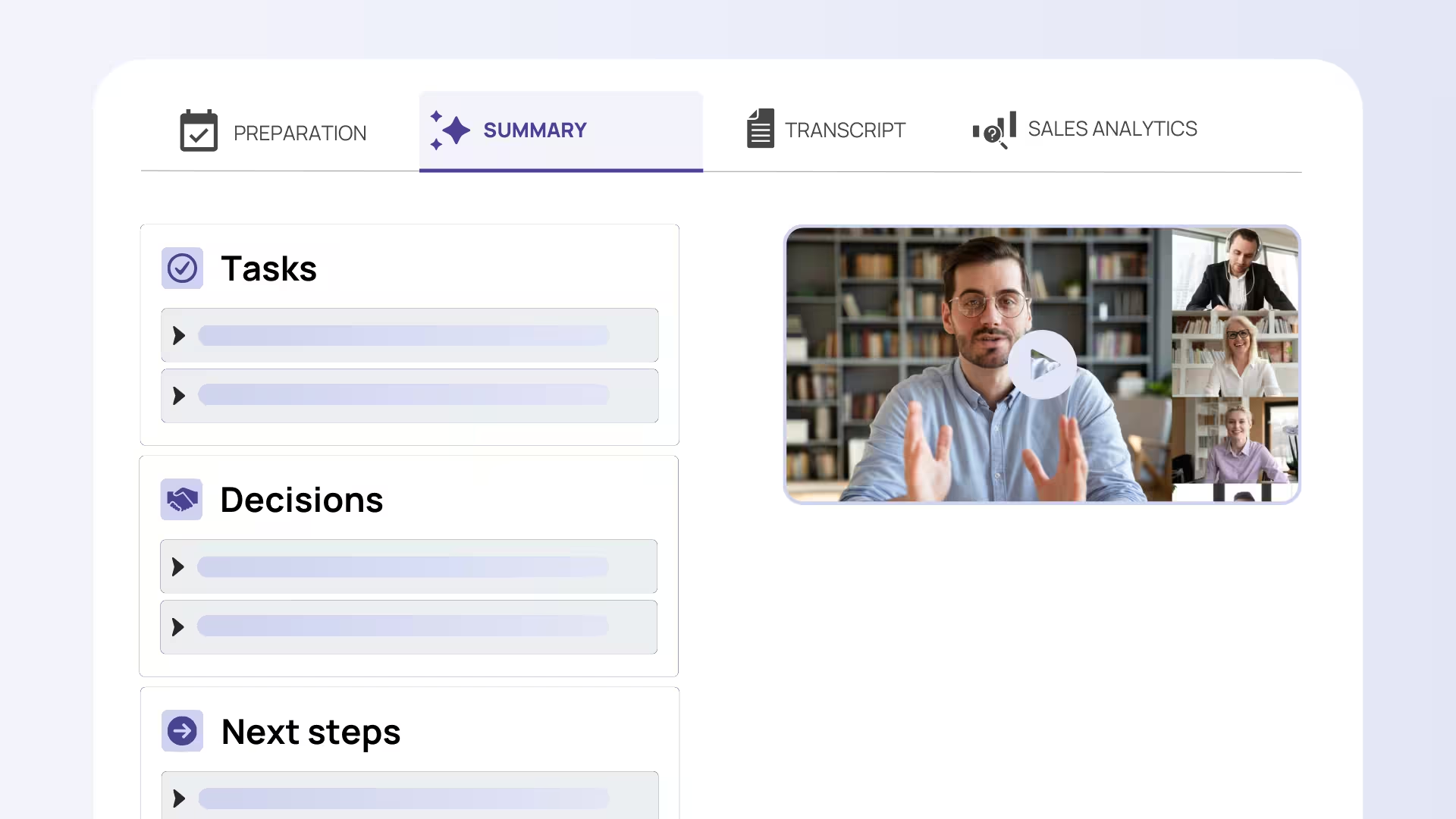
Sally closes Notion's three obvious gaps out of the box:
- Speakers are cleanly separated and labeled – either automatically via voice fingerprinting or manually assigned with a click
- Sally auto-joins your meetings – based on your calendar, with clear consent and opt-out mechanisms
- Meeting templates for every type – discovery call, onboarding, customer meeting, job interview, customer success review – with the right fields and follow-up workflows
Hosted in Germany, GDPR by Default
Sally runs on German servers. GDPR compliance isn't a footnote, it's the core architecture:
- Data residency in Germany
- Consent management directly in the tool (customizable disclosures, opt-out, logging)
- No sentiment analysis – a deliberate choice, because the EU AI Act has banned it in workplace contexts since February 2025 (Article 5(1)(f))
- SOC 2 aligned, ISO 27001 conformant, end-to-end encryption
For companies with a works council, DPO, or compliance team, this is the difference that tips procurement decisions.
99+ Languages and Real DACH Dialect Support
Sally transcribes in over 99 languages. For the DACH region, the model is specifically tuned for Swiss German, Austrian German, and regional variants. German industry terms across HR, accounting, sales, and IT are part of the training vocabulary.
7 CRM Integrations and 4 Automation Platforms
This is the area where Notion loses most clearly. Sally integrates natively with:
- CRMs: HubSpot, Salesforce, Microsoft Dynamics 365, Pipedrive, Zoho, Odoo, Bitrix24
- Automation: Zapier, Power Automate, make.com, n8n
- DACH business tools: DATEV, Personio, Lexware, sevDesk, Haufe, meetergo
- Video: Zoom, Microsoft Teams, Google Meet, Cisco Webex
Meeting notes don't land in a single tool – they land exactly where the next step happens: on the deal in the CRM, on the task in the project tool, on the ticket in support.
Price: Half of Notion's Business Plan
Sally Starter: $10 per user/month (annual) – including CRM integrations, 1,200 transcription minutes, and German hosting. That's half of Notion Business – and you get a full meeting tool, not an add-on.
Meetings Don't Belong Inside a Document Tool
Notion AI Meeting Notes is the logical next step for Notion as a platform: everything in one workspace. For one user type – the Notion power user who organizes everything in Notion anyway and mainly needs audio notes and stand-ups – the feature is usable and cleanly integrated.
But a serious meeting assistant it is not. Without speaker identification, without auto-join, without video, without native CRM connections, and with US hosting plus SCCs, the feature simply isn't sufficient for professional customer calls, sales calls, or regulated industries. At its core, it's a digital recorder with nice note-linking – nothing more.
If you work in Germany, Austria, or Switzerland, run multilingual meetings, want to keep your CRM in sync, and don't want your team to carry the GDPR risk itself: Sally is the clearly better choice. Same or lower price, full speaker identification, auto-join, 99+ languages, 7 CRMs, German hosting.
If you work exclusively inside Notion and you're the only speaker in your meetings: stick with Notion. For that niche, it's a clean solution.


