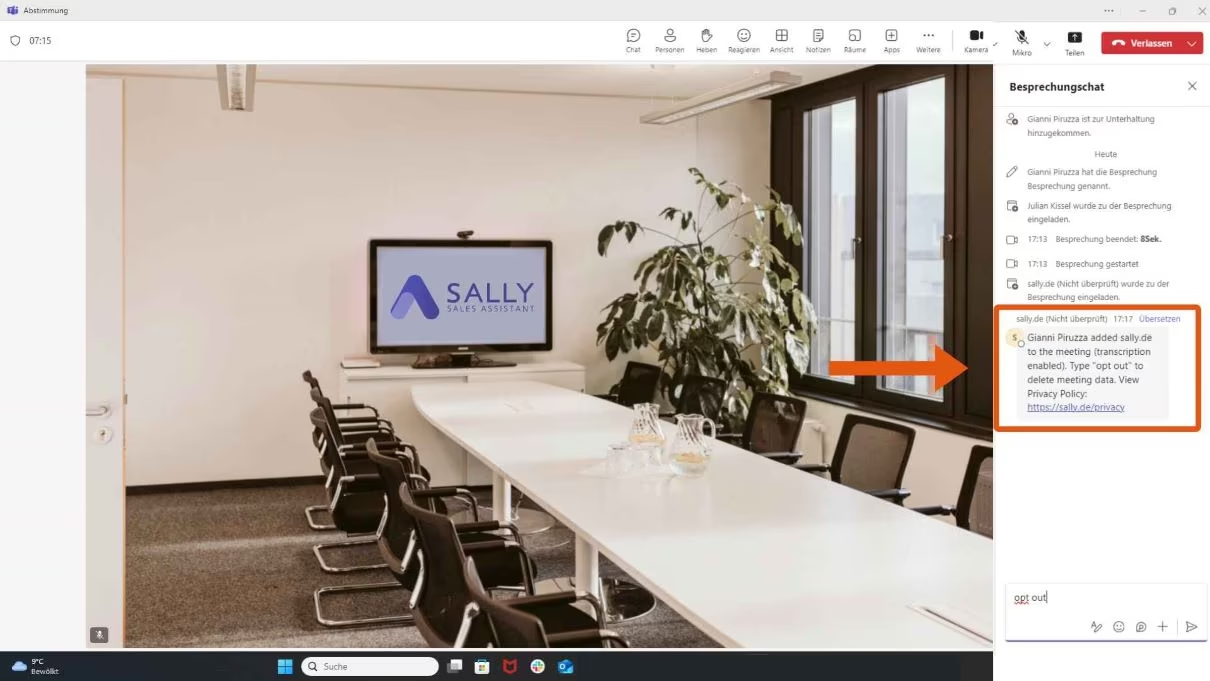

Enable Teams Chat So Sally Can Share Data Protection Info
At the start of your Teams meeting, Sally AI automatically posts a message in the chat with important information about data protection. But for this to work, the chat must be enabled!
You can activate the chat inside the meeting room with just a few clicks. Here's how:
How to Enable the Chat During a Teams Meeting:
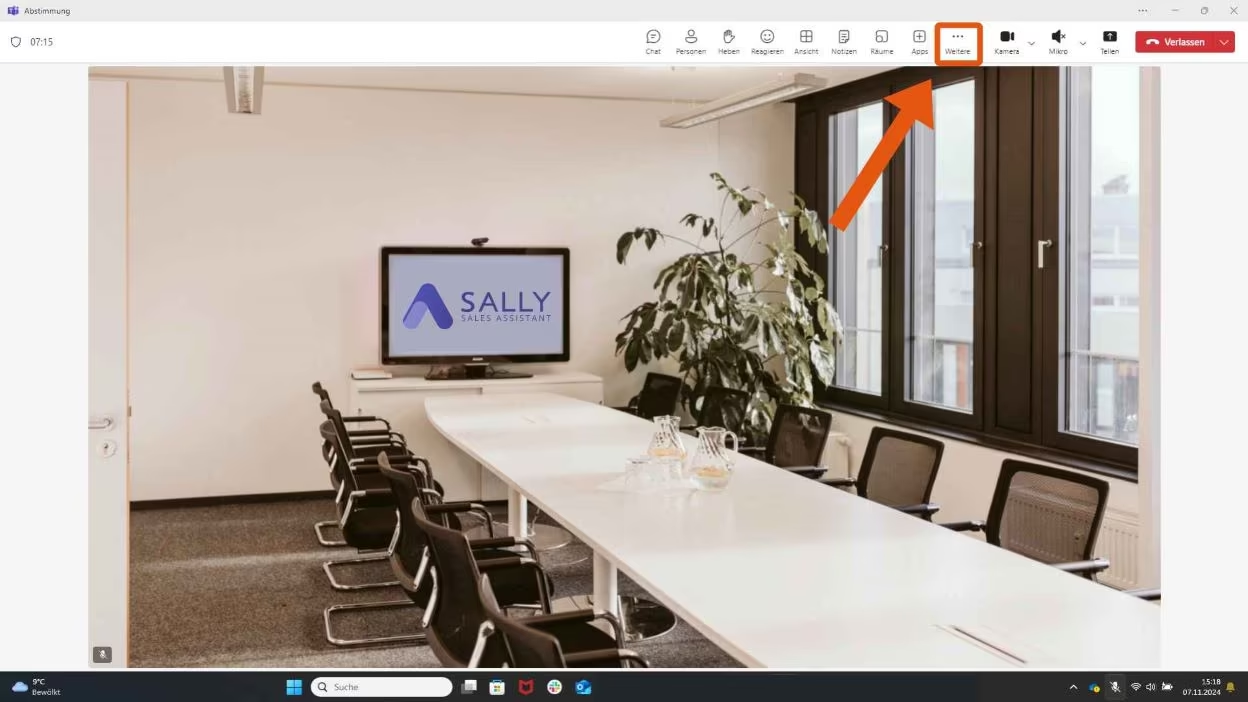
- In the meeting room, click the three dots at the top labeled More.
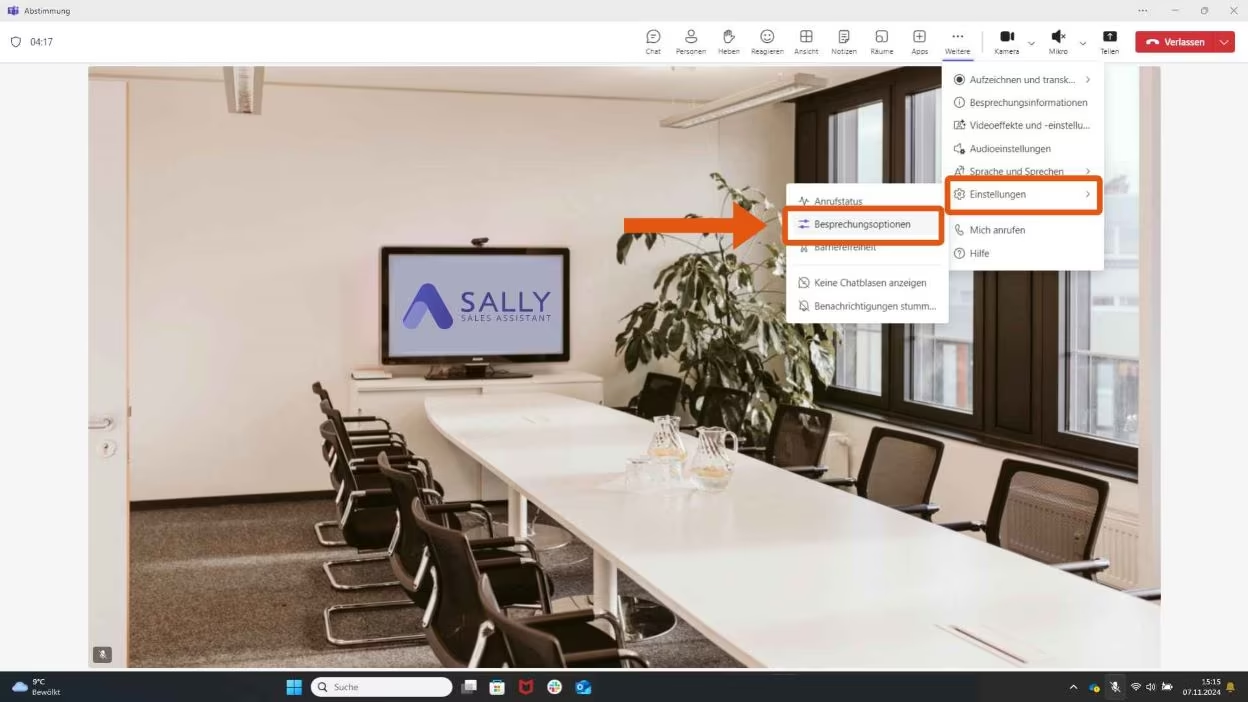
- Select Settings.
- Click on Meeting options.
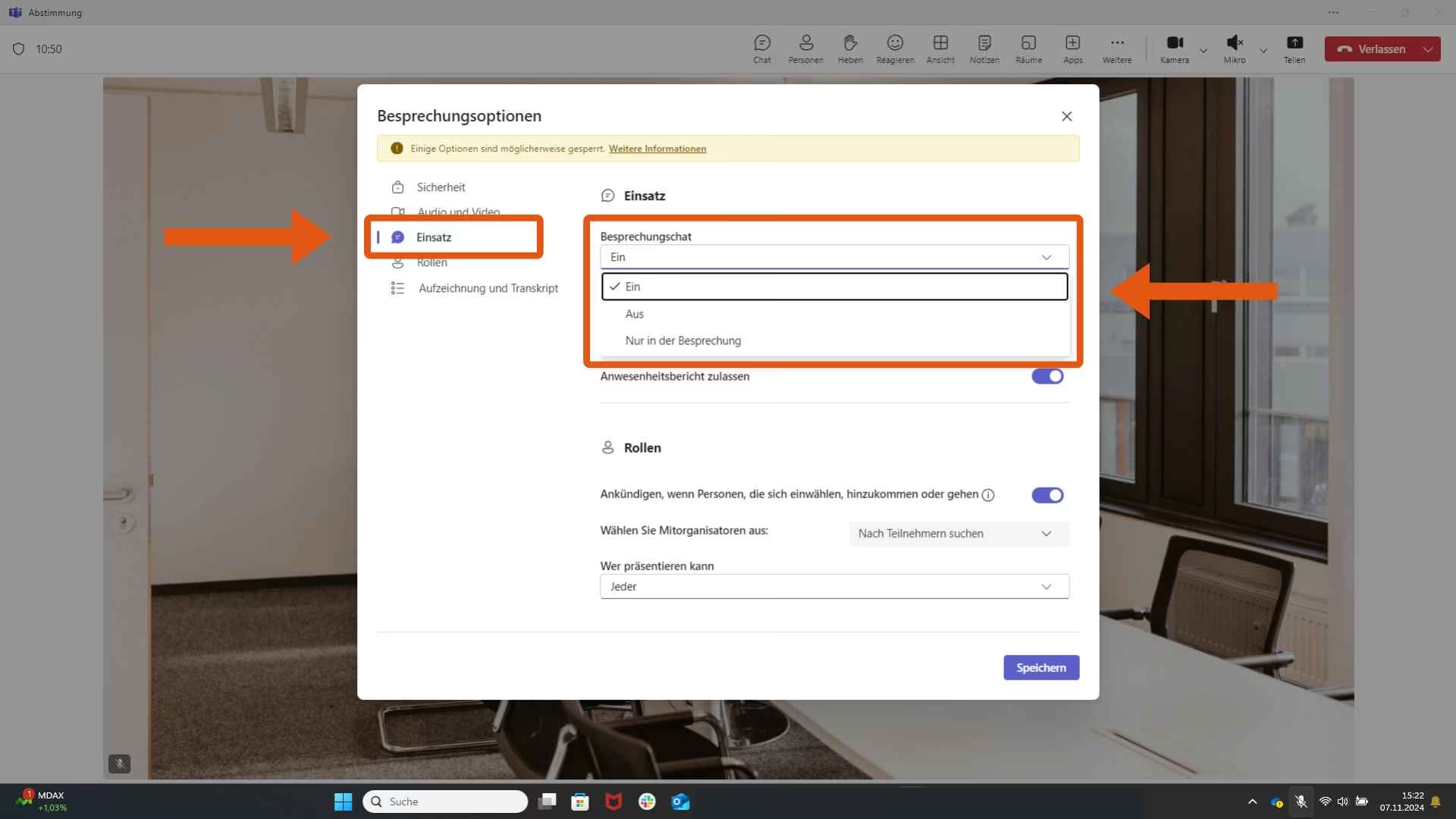
- On the left, go to Permissions.
- Toggle Meeting chat to On.
Once activated, the Teams chat will be available during the meeting, allowing Sally to post the privacy policy notice and offer guidance on how to safely remove the meeting assistant from the invite.