

Speech recognition isn’t just a fascinating tech trend – when used correctly, it can save you a lot of time and effort at work. In this article, we’ll take a practical look at how speech tools can help you work more productively. You’ll get an overview of the main use cases in companies and learn how to apply them in real-world situations.
Let AI Take Your Meeting Notes
You’ve probably been there: one important meeting after another, you're scribbling notes as fast as you can, and yet tasks and decisions still get lost. This is where AI comes in. Meet Sally, your smart meeting assistant that takes care of note-taking for you – without you lifting a finger.
Sally is an AI-powered tool that joins your meetings (whether on Teams, Zoom, Google Meet, or even in-person via mobile) and acts as your invisible note-taker using automatic speech recognition combined with artificial intelligence.
How Does Sally Work?
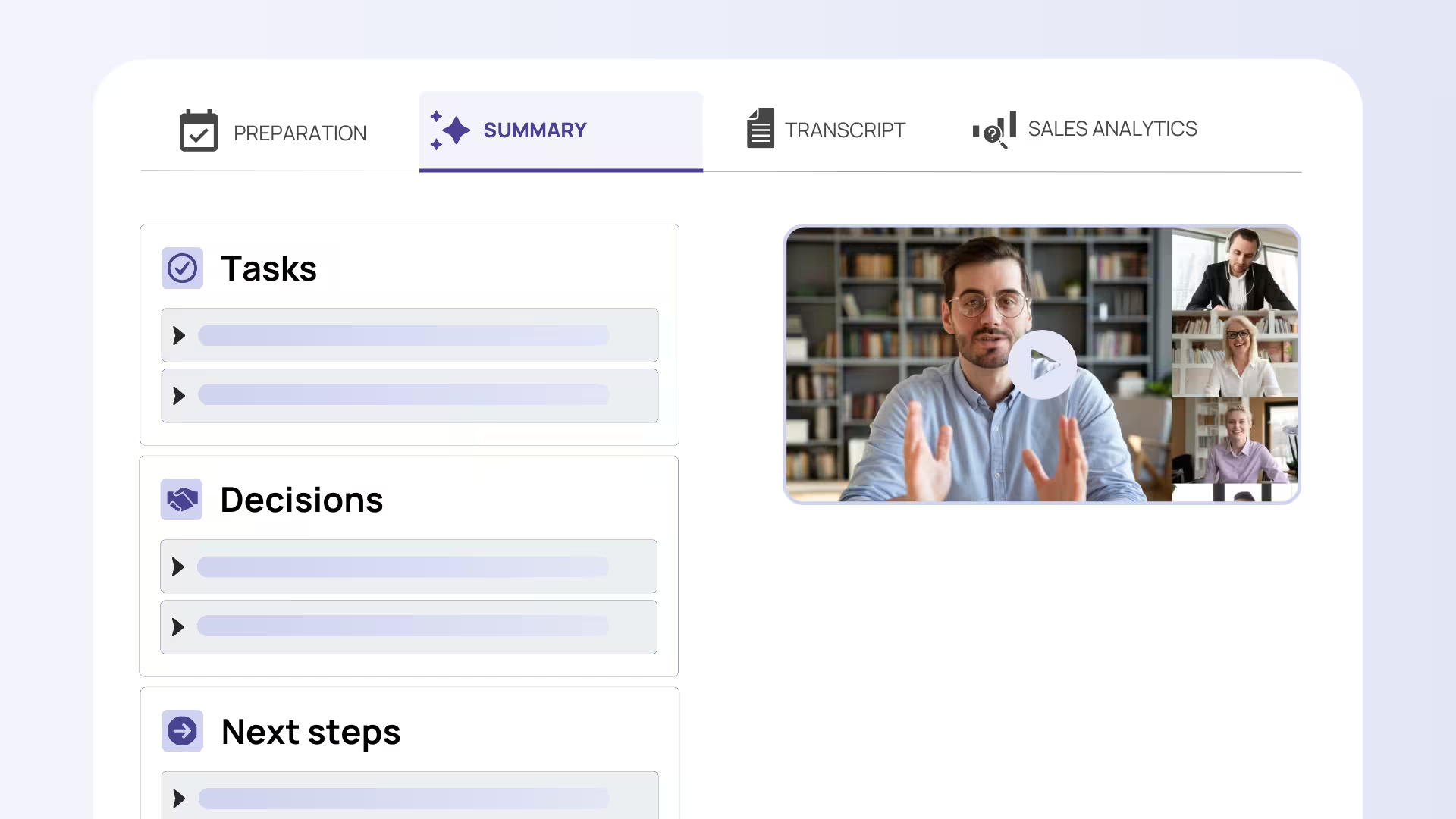
While you stay fully focused on the conversation, Sally quietly records everything in the background and transcribes spoken content word for word. Nothing gets lost in translation: every decision and action item is captured. Right after the meeting, Sally creates a clear summary and even identifies tasks automatically. These are then assigned to the right people, tracked, and followed up if needed – like having a personal assistant and secretary in one.
You also get access to the full transcript in case you want to revisit specific details.
The Big Advantage: Nothing Gets Forgotten
Commitments, decisions, and deadlines – Sally logs everything reliably, creating full transparency. Manual note-taking becomes a thing of the past, and you no longer have to rely on scattered or incomplete notes to draft a meeting summary. Studies show that meeting notes are often neglected, even though they’re essential for turning discussions into action. With AI support, this now happens automatically: all participants can stay focused on the conversation while everything important is captured and recorded in the background.
Afterwards, everyone receives a usable summary with a to-do list – so no idea or responsibility gets lost.
More Than Just a Transcript
Sally does more than write things down. It uses AI to analyze the conversation and highlight key points. At the end of each meeting, you get a structured overview with sections like "Topics & Decisions" and "Tasks & Next Steps," including assigned responsibilities. That way, your team knows exactly what’s next. The dreaded “Who’s taking notes?” question is a thing of the past – Sally already handled it.
Where Speech Recognition Adds Value in the Workplace
There are several key areas where speech recognition provides real business value and can be seamlessly integrated into daily workflows. Let’s look at some concrete use cases across different departments:
Sales: Focus on the Client, Not the Admin
In sales conversations, staying fully engaged with the client while also documenting the CRM afterward can be a tough balance. Sally makes this easy. The tool can automatically record and transcribe sales calls, then push all key details straight into your CRM (like HubSpot or Salesforce). After the meeting, notes and customer requests are already logged – no manual reporting needed. The result? More time to sell, less time stuck on admin.
Marketing: Capture Creative Sparks Before They Disappear
Marketing meetings are full of ideas – but just as quickly as they come, they can vanish if no one writes them down. Sally automatically captures tasks as they come up during discussions, whether it’s a new blog concept or campaign planning. It then assigns these to the right team members via integrations with tools like Asana or Trello. That way, nothing slips through the cracks and the team can jump straight into execution.
HR: Focus on the Candidate, Not the Keyboard
Taking notes during job interviews? It’s distracting and interrupts the flow. With Sally, HR teams can work much more efficiently. The AI assistant fully records and transcribes interviews so recruiters can concentrate on the person in front of them. Automatic summaries help evaluate candidates later, and since there’s no need to write or type during or after, more interviews can be conducted in a day. Sally is also ideal for employee reviews and training sessions.
Management & Meetings: Secure Documentation for Sensitive Topics
Executives often hold confidential meetings that still need accurate documentation – such as board meetings or strategic sessions. Sally supports this with GDPR-compliant transcription and storage. It can join (virtual) management meetings, transcribe everything securely, and store it in a protected area. You get a precise meeting record without needing a staff member to take notes. This makes decisions traceable and supports transparency. For international teams or board meetings in multiple languages, Sally’s automatic transcription and translation in over 99+ languages is especially helpful.
Sally Integrations: Seamlessly Embedded in Your Workflow
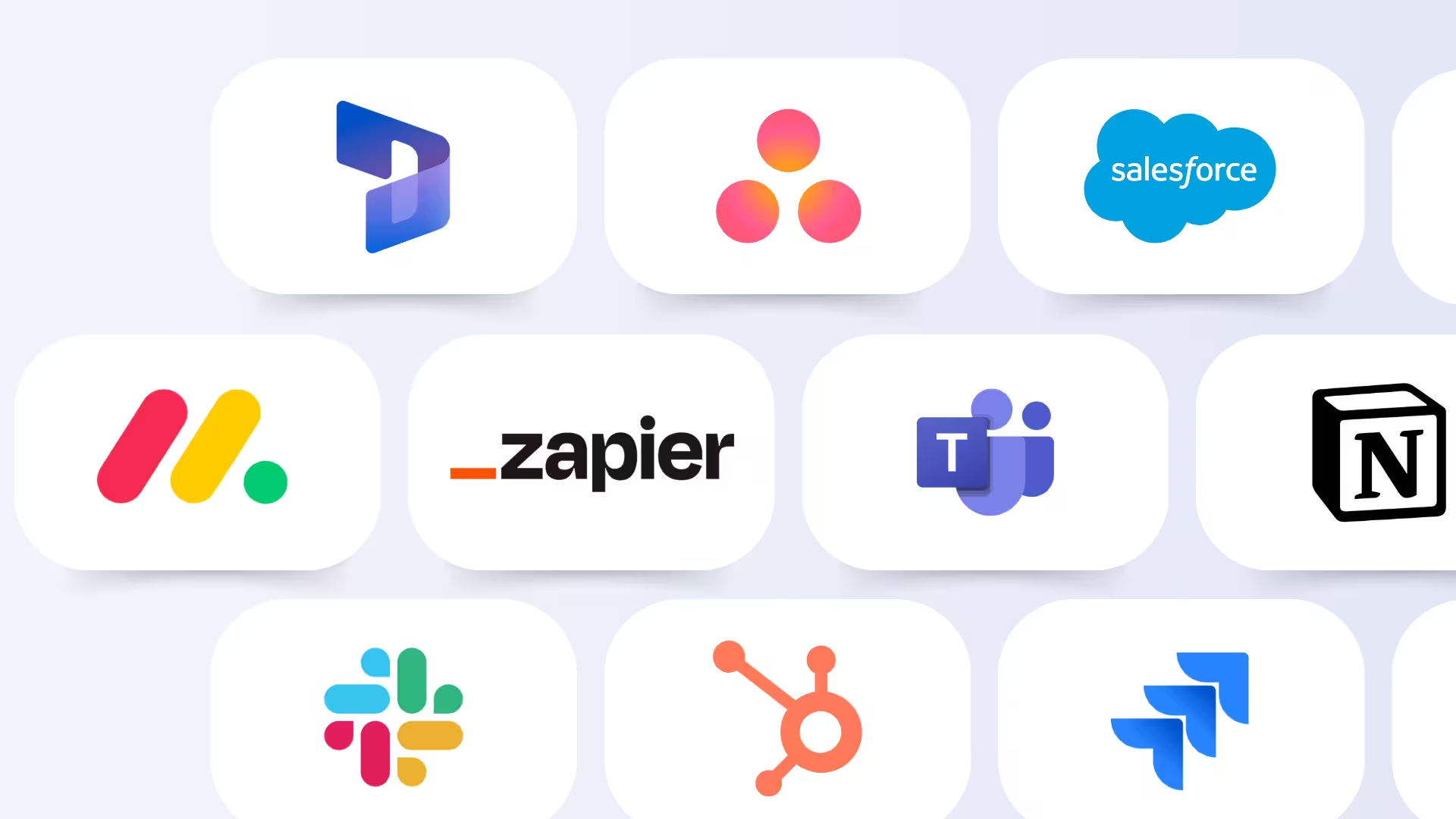
Sally becomes even more powerful when it integrates into your existing systems. It connects with your calendar (Outlook, Google Calendar, etc.) and joins any scheduled meeting automatically to start recording. After the meeting, it sends results straight to your collaboration tools – posting notes in Slack or Teams, creating tasks in Trello or Asana, or updating CRM entries. These smooth integrations eliminate the need for manual copy-pasting and save valuable time. A smart AI tool like Sally acts as a force multiplier for your current apps.
On top of that, Sally is a European product, built and hosted in Germany with strict GDPR compliance. All data remains under the user’s control, making it a secure choice for companies with sensitive internal discussions. Even in the cloud, your content stays protected and accessible only to you.
Pro Tip: To ensure transparency and trust, always inform meeting participants that you're using a speech tool like Sally. Let them know at the beginning of the meeting that it’s being recorded and transcribed – this helps everyone feel informed and keeps you on the right side legally.
Everyday Office Use: More Than Just Meeting Tools
Speech recognition can support your workday far beyond meeting transcription. Here are some practical ideas:
Dictate Instead of Typing
Have you tried speaking your emails or reports instead of typing them? With today’s speech tools, it's surprisingly effective across many programs. Whether you’re using Microsoft Word’s “Dictate” feature or tapping the mic icon on your phone’s keyboard, you can often speak your thoughts three times faster than typing them. For anyone who writes a lot, that’s a major productivity boost.
Yes, it takes a little getting used to – you’ll need to say “comma” and “period” aloud – but modern accuracy makes this approach totally practical. It’s especially handy for longer texts or jotting down notes while on the go.

Virtual Assistants at the Office
What works at home with Alexa & Co. can also be useful at work. Voice assistants can schedule appointments, set reminders, retrieve information ("What were last week’s sales?"), or even control smart office devices – all by voice command. Most smartphones already have Google Assistant or Siri built in, but there are also business-specific solutions, such as voice assistants for conference rooms.
The key is ensuring these assistants are integrated securely with your company’s IT systems. When used correctly, they enable hands-free productivity: for example, while working on something else, you can say “Note: remind Eva about Project X by Friday,” and the system will create the reminder for you. This saves clicks, reduces screen fatigue, and adds a subtle layer of efficiency that adds up over time.
Accessibility and Inclusion
Speech recognition is also a game-changer for employees with disabilities. People with physical impairments can operate computers using voice commands (via OS-level voice control). Those with hearing impairments benefit from live captions during meetings or videos – automatic captions (like on YouTube) are powered by ASR technology.
In multilingual teams, real-time captions in different languages can make collaboration smoother by allowing everyone to follow along in their preferred language.
Document Archiving and Search
Transcribed spoken content becomes searchable. Many companies use ASR to convert phone calls or videos into text, which can then be searched via full-text indexing. For example, a support center might transcribe all customer calls and store them in a knowledge base – making it easy to quickly find every instance where a specific product was mentioned.
Tips for Successfully Integrating Speech Recognition
To wrap up, here are some practical tips to help you roll out speech recognition smoothly in your organization and get real value from it.
Identify Needs and Choose the Right Tool
Start by considering what you want to use speech recognition for – meeting transcription, dictation, voice control, etc. – and select your tool accordingly. Sometimes a built-in solution in existing software is enough, while in other cases a dedicated tool is worth it. Look for key criteria like recognition accuracy (especially for industry-specific terms or accents) and GDPR compliance. Read user reviews and test services in a free trial before scaling up.
Ensure Good Audio Quality
Even the best speech recognition tool won’t help if the input is poor. Use high-quality microphones (e.g. a conference mic instead of your laptop’s built-in mic) and aim for a quiet environment. Background noise, echo, and side conversations can reduce accuracy. In virtual meetings, noise-canceling headsets are ideal. Speakers should talk clearly and at a normal volume to get the best results.
Involve Your Team and Meeting Participants
Introduce new voice tools transparently. Show your team the benefits (“This will make work easier for all of us, take a look…”) and give a brief training. Especially with meeting assistants, it's essential to inform participants beforehand that the meeting will be recorded and transcribed – it builds trust and is legally required.
Some may feel uncomfortable at first, so highlight the benefits: no one needs to take notes, and nothing gets lost. After a few uses, most people won’t want to work without it – the relief is real.
Use Customization Features
Many speech recognition tools offer personalization options. For example, you can add custom words or names to the dictionary (so your company's terminology is recognized correctly), or even train the system with example texts from your domain. These features can make a big difference.
A custom vocabulary dramatically improves recognition of technical terms, and training for regional accents or dialects can also help. A good system learns over time – so give feedback, correct mistakes, and maintain a glossary of special terms where possible.
Integrate with Your Workflow
Speech recognition delivers the most value when it’s fully integrated into your workflow. Connect the speech service with the tools you already use – whether it’s your CRM, project board, or team chats. The goal: Automatically recognized content should land exactly where your team works.
For example, a transcribed customer request could instantly become a ticket in your helpdesk system, or action items from a meeting could go straight into your task manager. This avoids duplicate work and turns speech AI into a real productivity booster.
Set Realistic Expectations and Stay in Control
Despite all the progress, AI isn’t perfect. It’s a good idea to set aside a little time in the beginning to review the results of your speech recognition tool, especially for important content. Usually, only minor edits are needed, but it’s worth keeping an eye on things.
Over time, you’ll develop a sense of when the system might struggle – for example, with tricky names or long number sequences. For routine conversations, you’ll soon feel confident letting the tool run without oversight, but a final check on critical texts is always a smart move.
Most users report that the results are “not perfect, but close enough” to be incredibly helpful.
Conclusion: Using Speech Recognition to Your Advantage
Follow these tips and you’ll be well on your way to a successful rollout of speech recognition at your company. Whether you use Sally or another tool, you’ll quickly see how much effort can be saved when routine tasks like note-taking or dictation run automatically in the background.
Many organizations have improved their meeting culture with AI – more focus, clearer outcomes – and boosted overall efficiency in daily work.
One final thought to keep you motivated: Every minute you save by not typing or manually writing things down is time you can reinvest in high-value work – in creativity, customer relationships, or simply clearing your to-do list.
It’s well worth exploring how AI can support you. Give it a try – your voice can do more than you think!


