

The audit profession has always demanded precision. But in an era of increasing regulatory complexity, tighter timelines, and growing client portfolios, precision alone is no longer enough — speed and scalability matter too. Auditors today face mounting pressure on every front: documentation standards are stricter, evidence requirements are more granular, and the window for fieldwork is rarely generous. At the same time, the volume of data flowing through a typical engagement has grown exponentially.
This is exactly where artificial intelligence is beginning to make a meaningful difference. At our firm, we work with auditors and audit teams daily, and we have seen firsthand how the right AI tools — implemented thoughtfully — can reduce friction across the engagement lifecycle without compromising audit quality or regulatory defensibility. This guide walks through the most impactful AI tools available to auditors today, maps each one to a specific recurring pain point, and closes with a recommended tool stack that fits into real-world audit workflows.
The Recurring Pain Points Auditors Face
Before diving into tools, it is worth naming the bottlenecks clearly, because the best AI implementations don't start with the technology but with the problem.
Audit documentation is non-negotiable. Both the PCAOB and IAASB require that workpapers be complete, reviewable, and capable of supporting regulatory inspection. The documentation burden alone — capturing rationale, linking evidence, and supporting manager and partner review — consumes a disproportionate share of engagement time.
Beyond documentation, meeting knowledge loss is a persistent and underappreciated problem. Walkthroughs, planning sessions, and status calls with clients generate critical context for risk assessment and PBC coordination. When that context is captured inconsistently — or not at all — teams lose hours reconstructing decisions and following up on unclear handoffs.
Follow-up itself is another major drag. PBC requests, open items, and sample selection decisions depend on structured owners and deadlines. Without a reliable system, things fall through the cracks, and senior team members spend time on chasing rather than reviewing.
Meanwhile, evidence extraction remains largely manual in many firms — copy-pasting from PDFs into Excel, cross-referencing support documents, and managing version control adds hours to fieldwork that could be spent on higher-value procedures.
Finally, there is the defensibility concern that comes with AI adoption itself. Firms cannot simply use AI outputs as-is. Standards require that auditors document what was done and how automated outputs were validated. The tools that survive scrutiny are those that make this easy rather than burdensome.
The table below maps each tool in this guide to the pain point it targets, the phase of the engagement where it earns its keep, and the reason it holds up under review. Use it as a shortcut, then read the detail on each tool underneath.
| Tool | Primary pain point | Engagement phase | Why it holds up under review |
|---|---|---|---|
| Sally AI | Meeting knowledge loss, follow-up on PBC and open items | Planning, walkthroughs, status calls | Contemporaneous, reviewable record of risk discussions |
| DataSnipper | Manual evidence extraction in Excel | Fieldwork, testing | Source-to-workpaper linkage built into the file |
| Caseware AiDA | Fast answers without traceable sourcing | Fieldwork, review | Responses returned with direct source links |
| MindBridge | Sampling misses concentrated risk | Risk assessment, substantive testing | Full-population analysis; outputs are inputs, not conclusions |
| AuditBoard AI | Repetitive fieldwork overhead | Fieldwork, documentation | Standardised, consistent evidence handling |
The Best AI Tools For The Perfect Tech Stack For Auditors
Sally AI — Turning Every Audit Meeting Into Structured, Actionable Documentation
One of the most underestimated risks in an audit engagement is the ephemeral nature of verbal communication. A walkthrough with a client's finance team will surface key risk indicators, control descriptions, and PBC commitments — but if the only record is a junior team member's handwritten notes, that institutional knowledge is fragile. When the engagement partner asks why a particular risk area was scoped the way it was, the answer should not depend on someone's memory.
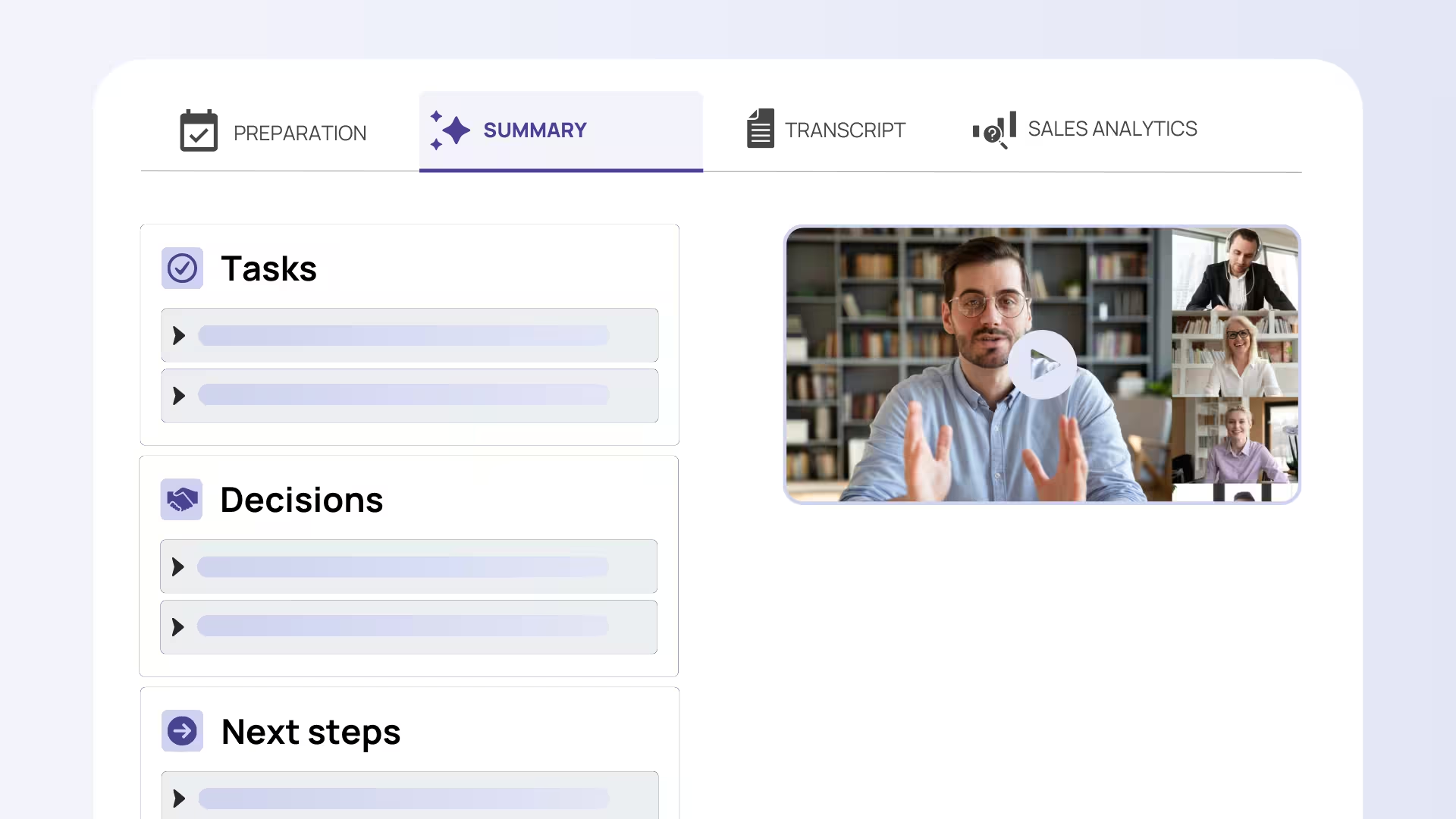
Sally AI addresses this directly. It provides AI-powered meeting transcription combined with structured summarization and automated task extraction. For audit teams, this means that every client walkthrough, internal planning call, or status meeting produces a reliably captured record — including identified risks, agreed-upon deadlines, and assigned owners for open items and PBC requests.
Sally joins meetings across Zoom, Microsoft Teams, Google Meet and Webex, so it fits whichever platform a client uses rather than forcing a switch. Because it runs on servers in Germany and is built to be GDPR-compliant, client conversations — often containing sensitive financial detail — stay within the EU. For audit firms, where a data breach is both a client-confidentiality failure and a professional risk, that data residency is not a nice-to-have but a selection criterion in its own right.
Consider a realistic scenario: your team conducts a revenue recognition walkthrough with the client. Sally AI captures the full conversation, extracts the key control descriptions discussed, flags follow-up items (such as outstanding documentation requests), and assigns them to named team members with due dates. What would have taken a senior associate 45 minutes to write up — and still might have missed nuance — is produced in minutes, with the conversation record available for review. The engagement leader can review the structured summary before the next team meeting, catch anything missing, and move directly to substantive work.
For auditors specifically, this kind of structured meeting capture directly supports the documentation requirements around risk assessment procedures, as it creates a contemporaneous, reviewable record of discussions that informed audit planning decisions.
DataSnipper — Eliminating Evidence Extraction Drag Directly in Excel
Ask any audit senior what consumes more time than it should, and evidence extraction is a near-universal answer. The workflow is familiar: download a PDF bank statement or support document, manually identify the relevant figures, copy them into an Excel workpaper, and then cross-reference back to the source — repeat for hundreds of line items across dozens of documents. Beyond the time cost, manual extraction introduces transcription error risk that creates review findings and slows the entire engagement.
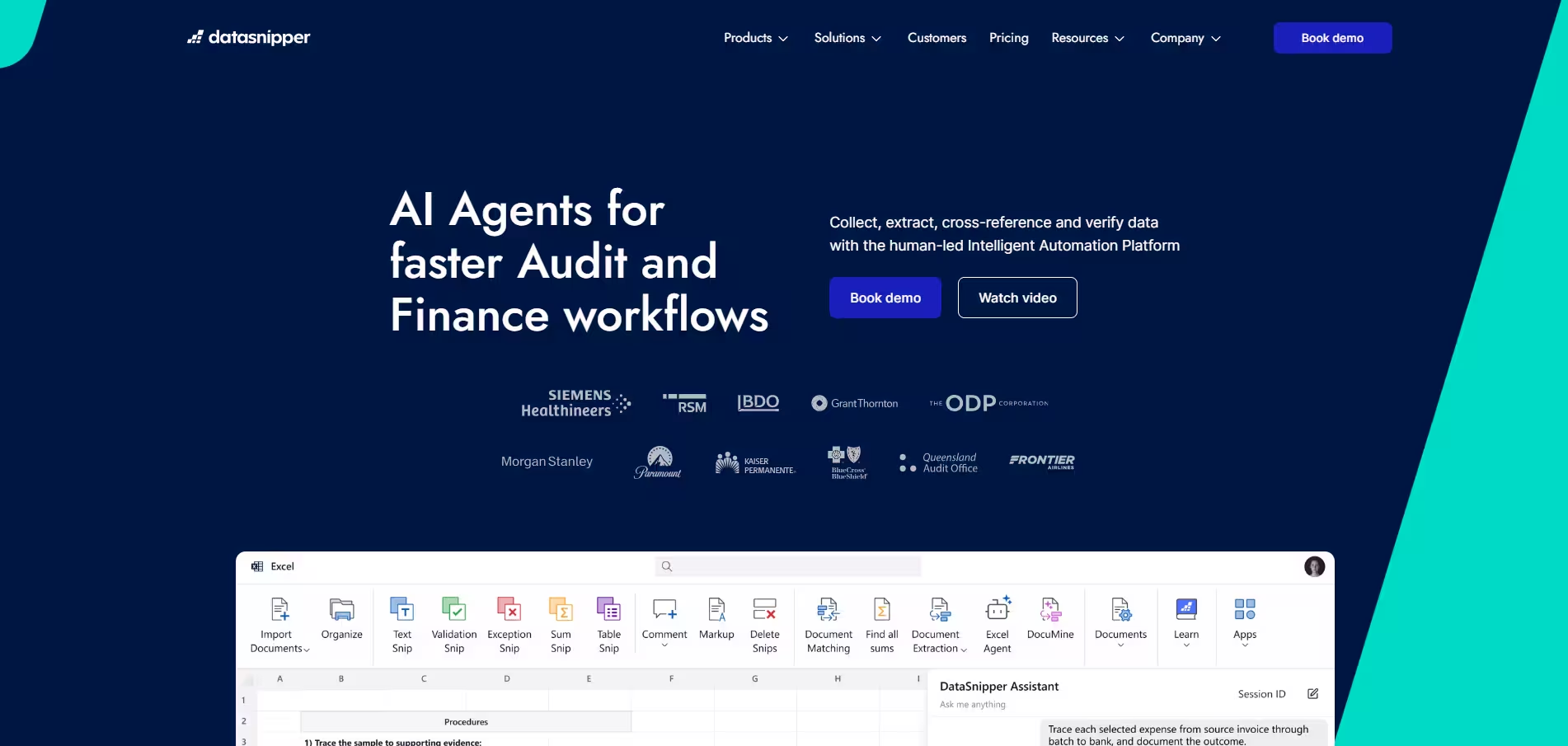
DataSnipper is built specifically for this bottleneck. It operates as an intelligent document automation platform within Excel, allowing auditors to extract data from source documents — PDFs, Excel files, scanned images — and link that data directly to workpaper cells. Crucially, it maintains a traceable connection between the workpaper figure and its source, so a reviewer can click through to verify the underlying evidence in seconds rather than pulling the original document manually.
Imagine your team is testing a sample of vendor invoices against recorded expenses. With DataSnipper, an auditor highlights the relevant figures in the invoice PDFs, and the tool populates the testing workpaper automatically, embedding a visual reference to the source document. When the manager reviews the workpaper, they can verify every figure against its source without leaving the Excel file. What might have taken a full day of manual work — including review iterations — is compressed dramatically, and the evidentiary linkage that audit standards require is built into the workflow rather than added afterward.
This kind of integrated traceability is increasingly important as firms face quality management expectations under standards like ISQM 1, where the ability to demonstrate how evidence was obtained and validated is part of the compliance picture.
Caseware AiDA — Source-Linked AI Assistance That Survives the Review Process
One of the more nuanced challenges with AI in audit is that usefulness and defensibility can appear to be in tension. An AI tool that gives fast answers but cannot show where those answers came from creates a documentation problem rather than solving one. For audit purposes, the output of an AI assistant is only as good as the auditor's ability to trace it back to an engagement file and validate it as appropriate evidence.
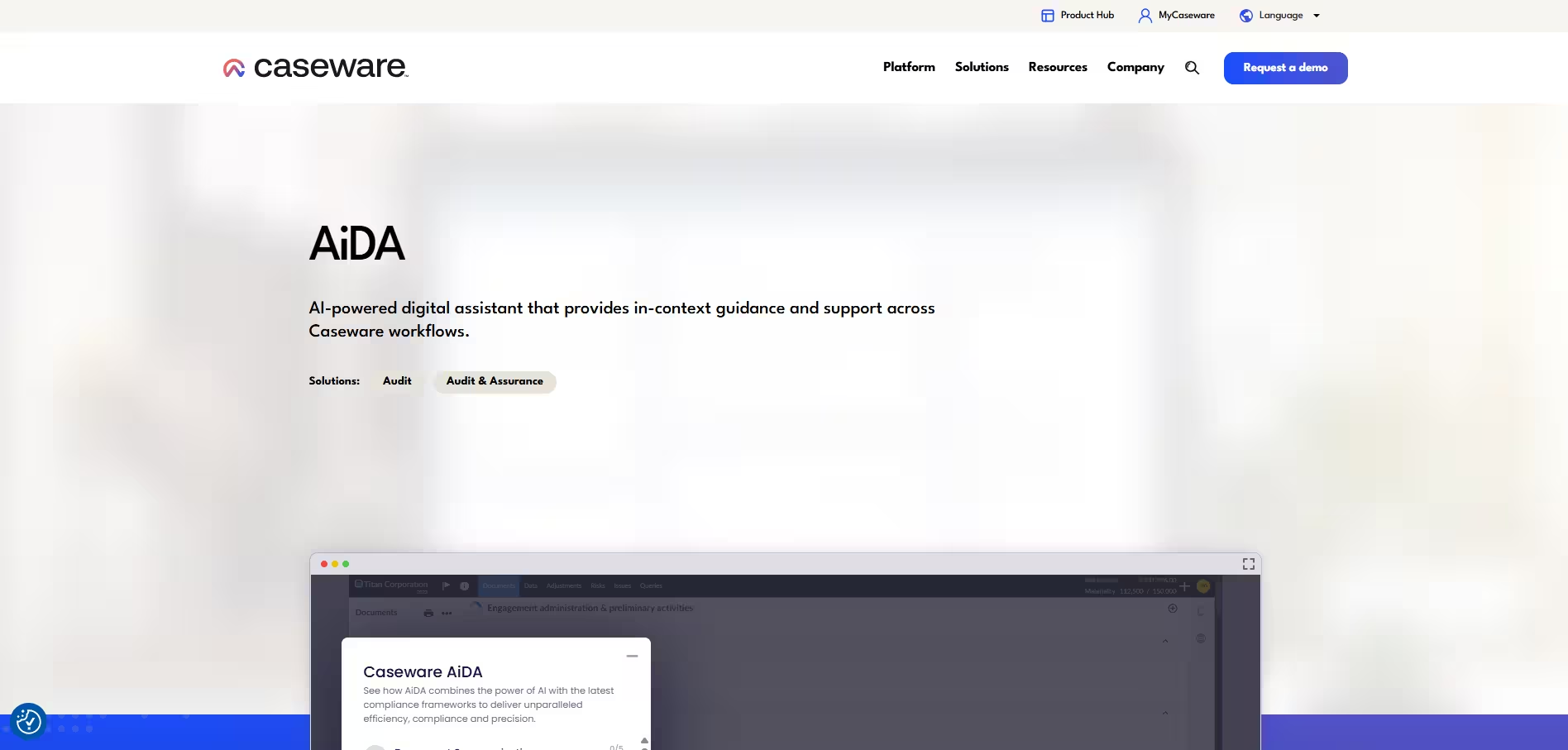
Caseware AiDA is designed with this constraint in mind. It functions as an in-workflow AI assistant embedded within the Caseware engagement management environment, allowing auditors to query the engagement file — finding specific document content, summarizing disclosures, or surfacing relevant prior-year workpaper content — with responses that include direct source links to the underlying files.
In practice, this looks like a manager asking AiDA to pull the description of a revenue recognition policy from the client's financial statements, and receiving a direct answer alongside a link to the exact page of the document that was referenced. If that response feeds into a workpaper narrative, the sourcing is already documented. For partners and reviewers, this changes the review dynamic: instead of asking "where did this come from?", they can verify in a single click.
We have worked with multiple audit teams integrating in-file AI assistants and consistently find that source linking is the feature that converts skeptical senior staff from reluctant adopters to advocates. In an environment where "show your work" is not a preference but a regulatory requirement, AiDA's approach directly addresses one of the most legitimate concerns around AI adoption in audit.
MindBridge — Applying AI-Powered Risk Analysis Across 100% of Transactions
Traditional audit sampling methodologies are well-established and statistically grounded, but they come with an inherent limitation: by definition, they do not cover every transaction. In an environment where material misstatements or anomalies may be concentrated in specific, non-obvious subsets of a population, sampling can miss what full-population analysis would catch. The challenge has always been that full-population analysis at scale is practically infeasible without automation.
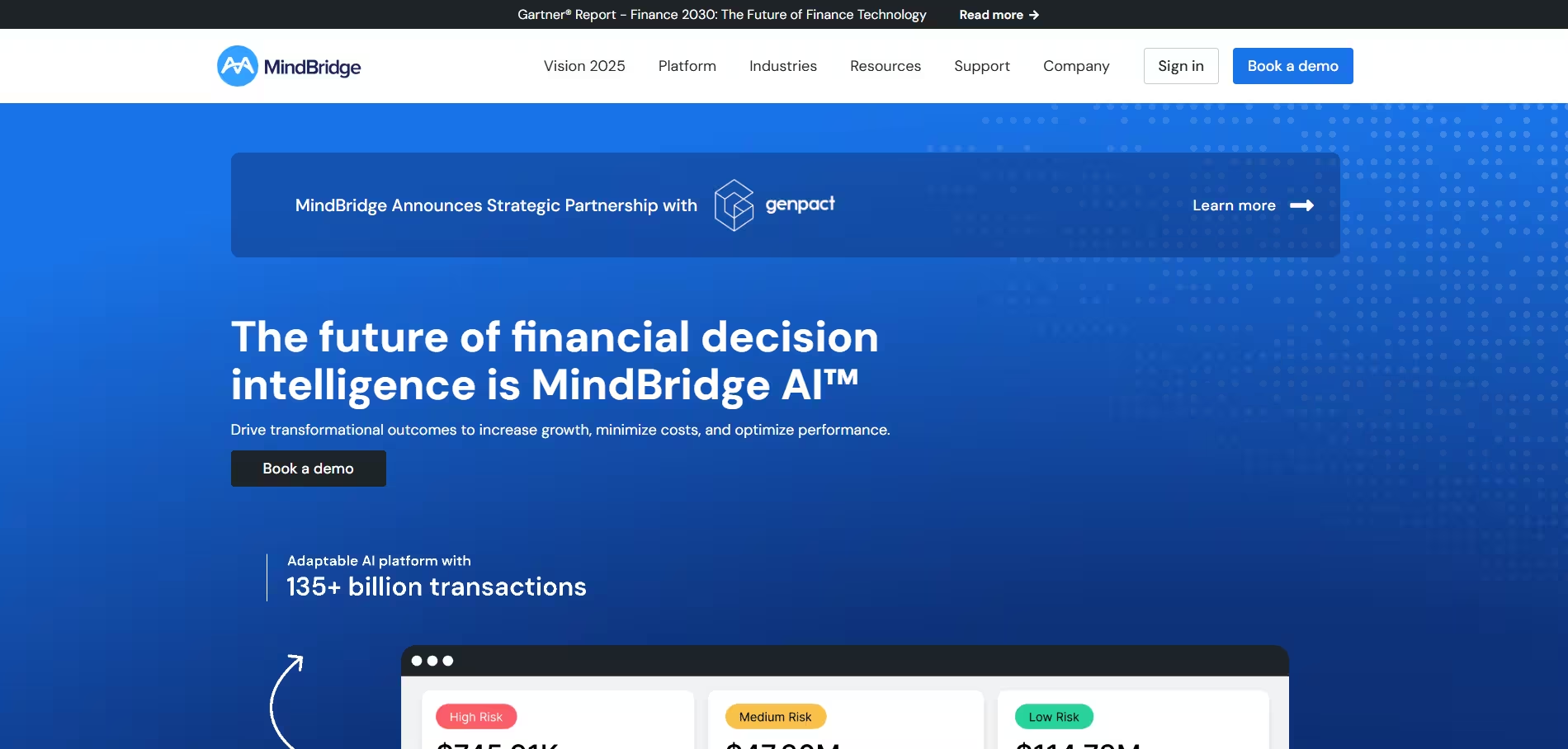
MindBridge changes this equation. It is an AI-powered financial data analysis platform that claims to analyze 100% of transactions in a dataset, applying machine learning models to surface risk patterns, anomalies, and outliers that would not be visible in a sampled population. For auditors working under time pressure with large transaction volumes — think a manufacturing client with tens of thousands of journal entries — MindBridge can help focus substantive procedures on the areas where the risk signal is strongest.
For example, a team auditing a complex revenue stream might use MindBridge to analyze the full population of revenue journal entries, with the tool flagging entries that deviate from expected patterns — unusual posting times, atypical account combinations, or entries that reverse shortly after period end. The audit team can then direct their detailed testing toward those flagged items rather than spreading procedures across a random sample that may not capture the highest-risk transactions.
A critical note for implementation: MindBridge outputs are analytical inputs, not audit conclusions. The professional judgment of the engagement team must be applied to evaluate flagged items, and the documentation of how those outputs were used — including any items that were reviewed and concluded as low-risk — must be captured in the workpapers. When used this way, MindBridge genuinely strengthens the risk coverage of an engagement rather than simply accelerating it.
AuditBoard AI — Automating the Fieldwork Overhead That Drains Senior Capacity
Audit fieldwork involves a category of work that is essential but not intellectually demanding: pulling samples, annotating documents, tracking evidence status, and managing the mechanical steps of assembling support for individual testing conclusions. In most firms, this work lands on associates and seniors, but it still consumes significant time and creates bottlenecks when review and follow-up pile up simultaneously.
AuditBoard AI targets this layer directly. Within the AuditBoard audit management platform, AI capabilities automate sampling selection, support evidence gathering workflows, and enable intelligent document annotation — surfacing relevant content within uploaded evidence and linking it to the corresponding testing step. For firms using AuditBoard as their primary engagement platform, this means the repetitive documentation overhead is reduced without changing the underlying workflow.
A concrete example: when testing controls, an auditor uploads a batch of support documents — system reports, approval logs, signed authorizations. AuditBoard AI analyzes the documents, extracts the relevant attributes being tested, and pre-populates the testing workpaper with annotations indicating where in each document the key evidence appears. The associate reviews and confirms rather than building the annotation from scratch. For large control populations across an integrated audit, this kind of acceleration compounds quickly, freeing senior time for the judgment-intensive work — evaluating control design, assessing exceptions, and building conclusions — that cannot be automated.
Consistent evidence handling also has a quality benefit: when the process is standardized by the platform, the variation between how different team members document their testing is reduced, which smooths the manager review process and reduces the back-and-forth that typically happens in the final days of fieldwork.
The 2026 Governance Backdrop: Why AI in Audit Starts With Controls
Choosing tools is the easy part. What separates a defensible AI rollout from a risky one is governance, and in 2026 the expectations became a lot more concrete. Three developments are worth understanding before you sign a single contract.
First, in February 2026 COSO published guidance on achieving effective internal control over generative AI. It translates the familiar COSO Internal Control–Integrated Framework into audit-ready terms, organising GenAI use into eight capability types — ingestion, transformation, posting, orchestration, judgment, monitoring, regulatory intelligence, and human-AI interaction — each with minimum control expectations and illustrative metrics. For a firm evaluating AI tools, it is a ready-made checklist for the controls a tool should support.
Second, the EU AI Act is phasing in. AI literacy — making sure the people who use a system actually understand its capabilities and limits — is already an explicit expectation, and a further set of transparency and high-risk obligations applies from August 2026. AI used to support an audit generally falls into the limited-risk category, carrying transparency and documentation duties rather than the heavier high-risk regime. That is not a free pass: the auditor still has to be able to judge whether an AI-generated result is reliable. For German firms, the IDW has published a knowledge paper summarising what the Act means for the profession, which is a sensible starting point.
Third, regulators are sharpening documentation expectations specifically around AI. The FRC, for instance, expects firms to show how a judgment was reached, and where that judgment rests on an AI output the audit trail should include evidence of how the model was governed, trained and tested. The practical implication is the same one that runs through this entire guide: an AI output is only useful in an audit if you can explain and defend where it came from.
How to Evaluate an AI Tool for Audit
Once the governance picture is clear, evaluating a specific tool becomes a matter of asking a consistent set of questions. The following criteria have proven the most decisive in practice.
Traceability. Can every output be linked back to its source — a document, a transaction, a meeting — in one click? A tool that cannot show its working creates a documentation problem rather than solving one.
Human-in-the-loop by design. The tool should treat its outputs as proposals that a professional reviews and accepts, not as finished conclusions. Human validation is increasingly a governance requirement, not just good practice.
Data residency and processing terms. Where is client data stored and processed, and is there a signed data processing agreement under Article 28 GDPR? Confirm data stays in the EU or EEA and that you can contractually opt out of having your data used to train the vendor's models.
Access control and auditability. Can access be restricted by engagement and role, and does the tool keep an activity log you can align with your quality management system under ISQM 1 or PCAOB quality control standards?
Fit with your engagement platform. A tool that integrates cleanly with your core platform reduces manual handoffs and version-control risk. A brilliant point solution that lives outside the workflow often ends up unused.
Data Protection Considerations Specific to Audit Firms
Audit firms handle some of the most sensitive data a client holds — draft financials, related-party detail, personnel records, and the professional judgments made about them. That raises the data protection bar beyond generic SaaS diligence. Before onboarding any AI vendor, confirm the data processing agreement covers sub-processors and data residency, that retention periods are defined and enforceable, and that deletion actually removes client data at the end of the engagement. Prefer vendors that host in the EU or EEA and that let you switch off model-training on your content. Finally, treat the firm's own people as part of the control: under the EU AI Act's literacy expectation, staff who rely on AI outputs need enough understanding to challenge them, which is exactly the professional skepticism the standards demand in the first place.
The Recommended AI Tool Stack for Audit Firms
No single tool covers the full audit engagement lifecycle, and the tools above are most powerful when they work together as part of a coherent stack. Based on our experience supporting audit teams in implementing AI workflows, here is the stack we recommend — including the connective tissue that makes it function as a system rather than a collection of point solutions.
Core Engagement Platform
AuditBoard (or Caseware, depending on your existing infrastructure) serves as the engagement management backbone — housing workpapers, managing sign-offs, tracking evidence status, and providing the workflow structure that everything else connects to. If your firm is on Caseware, AiDA is available natively; if you are on AuditBoard, AuditBoard AI integrates directly. Choose the platform first, then build the stack around it.
Meeting Intelligence Layer
Sally AI sits at the front of every engagement, capturing walkthroughs, planning meetings, and status calls. Summaries and action items feed directly into the engagement platform as structured documentation and tracked open items. This creates a continuous record from first client contact through to completion.
Evidence and Data Layer
DataSnipper handles document-to-workpaper extraction within Excel, covering the large portion of audit testing that still lives in Excel-based workpapers. For transaction-level risk analysis, MindBridge processes the full financial data population and outputs risk-stratified results that inform where DataSnipper-based testing should focus.
CRM and Client Relationship Management
HubSpot or Salesforce (with an audit-friendly configuration) handles engagement pipeline tracking, proposal management, and client communication history. For mid-size firms, HubSpot is often the more practical choice, with its lower configuration overhead and native email integration. Connecting CRM data to engagement records closes the loop between business development and delivery.
Integration and Automation Layer
Zapier or Make (formerly Integromat) can bridge tools that do not have native integrations — for example, routing Sally AI action items into AuditBoard task lists, or triggering notifications when MindBridge flags a high-risk area for follow-up. These middleware tools keep the stack coherent without requiring custom development.
Security and Compliance Baseline
Regardless of which tools you adopt, every vendor processing client data should have a signed GDPR-compliant data processing agreement in place, with clear documentation of data residency, retention, and the firm's rights regarding training data use. Restrict AI tool access by engagement and role, and maintain an auditable activity trail aligned with your quality management system under ISQM 1 or PCAOB QC standards.
The result is an audit AI stack that covers the engagement from kickoff to sign-off — reducing documentation burden, improving evidence traceability, and giving senior staff back the time that should be spent on judgment, not mechanics.


