

Gemini Transcription Made Easy
Google Gemini is a modern, multimodal AI model developed by Google DeepMind. It processes not only text and images but also audio, and recent models such as Gemini 2.5 Flash understand audio natively. That makes Gemini a genuinely capable option for transcribing audio files. But how exactly does it work, and who is it best suited for?
In this article, you'll learn how to transcribe audio step-by-step with Gemini, get sample prompts, and find out when it makes sense to use Gemini and when an alternative is the better choice.
How to transcribe audio with Gemini: two ways
There are two routes, depending on how long your recording is and how technical you want to get.
Option 1: The Gemini app (easiest, for short clips)
- Open Gemini: Go to the Gemini app on the web (gemini.google.com) or on your phone.
- Upload audio: Attach your audio file directly in the chat.
- Prompt it: Ask Gemini to transcribe, summarize, or extract action items (see prompts below).
This is the fastest path for a short recording, but the app currently handles about 10 minutes of audio per file. For anything longer, use Option 2.
Option 2: Google AI Studio (for long files)
- Open Google AI Studio: Go to aistudio.google.com.
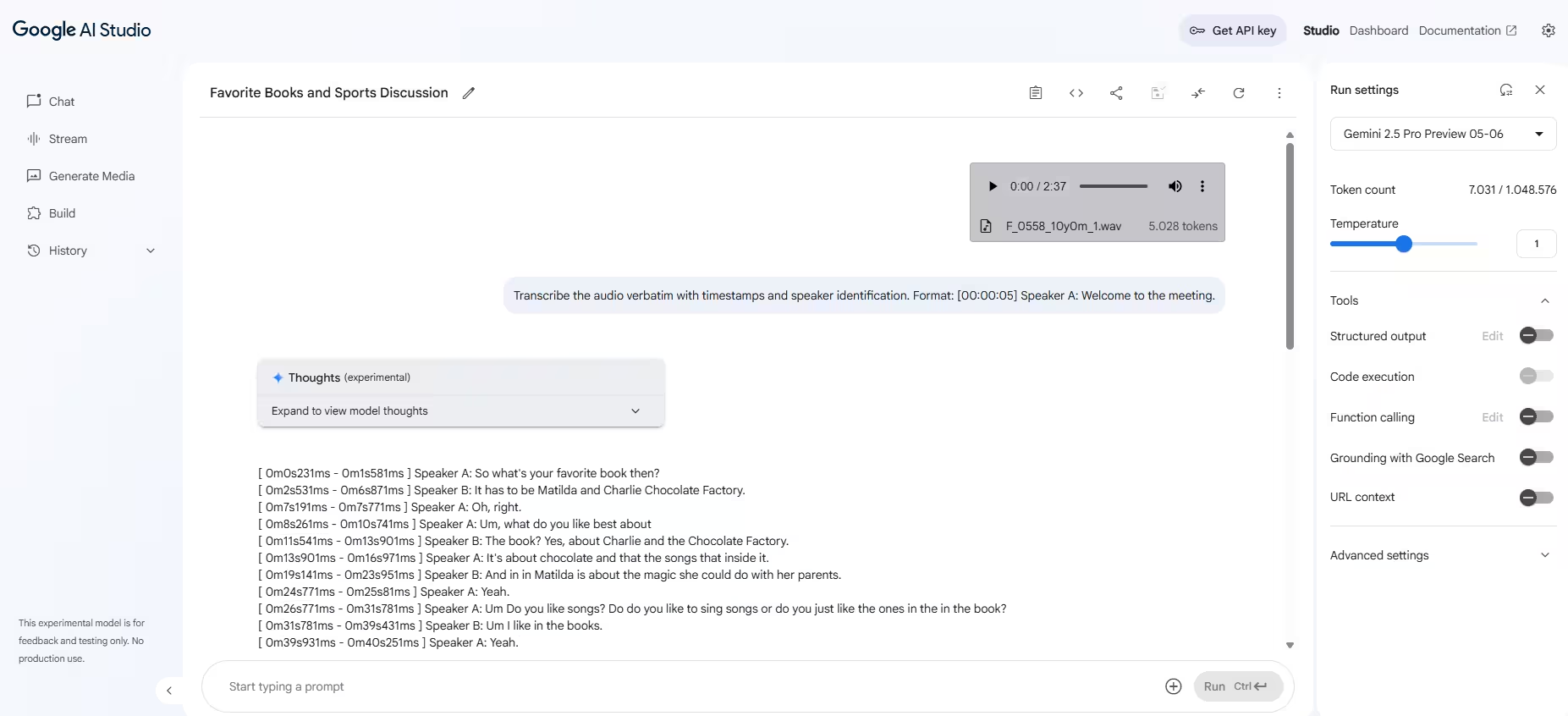
- Upload audio: Upload your audio file (e.g. MP3, WAV, FLAC) into the chat interface.
- Create a prompt: Tell Gemini what to do with the audio.
- Get results: Gemini processes your audio and returns a transcript.
AI Studio and the Gemini API can process up to around 9.5 hours of audio per request, which makes this the route for meetings, interviews and long recordings.
Which formats and languages does Gemini support?
Gemini supports all major audio formats, including MP3, WAV, M4A, FLAC, and more. It transcribes many languages and dialects, and with Gemini 2.5 Flash you can pass a language hint to steer it toward the correct language, which noticeably improves accuracy on multilingual or accented audio.
Sample prompts for effective Gemini transcription
Prompt 1 – Verbatim transcript with timestamps:
"Transcribe this audio word for word (verbatim), with timestamps and speaker labels. Format: [00:00:05] Speaker A: Welcome to the meeting."
Prompt 2 – Summary of a meeting:
"Summarize this audio in English and list three key action items decided during the conversation."
Prompt 3 – Bilingual transcription and translation:
"Transcribe and translate the audio into English. Include the original German in parentheses. Example: 'Good morning (Guten Morgen).'”
Prompt 4 – Extract tasks:
"Extract all action items from this conversation, including responsible persons and due dates if mentioned."
Can Gemini transcribe audio in real time?
Not in the everyday app. In the Gemini app and in AI Studio you upload a finished file and get the transcript back, so there is no live transcription during a call. Developers can, however, use Gemini's Live API for real-time, streaming audio transcription. It is powerful, but it needs technical setup and is not something a typical user gets out of the box.
Benefits and limitations of using Gemini for transcription
Benefits of Gemini Transcription:
- High accuracy powered by advanced, natively multimodal models (e.g. Gemini 2.5 Flash)
- Support for many languages, with optional language hints
- Can handle very long audio (up to about 9.5 hours via AI Studio and the API)
- Cost-effective for processing large volumes of audio
Limitations of Transcription with Gemini:
- The app caps audio at about 10 minutes per file
- No real-time transcription in the standard app (only via the developer Live API)
- Long-form and real-time require technical setup (AI Studio, Gemini API)
- Potential privacy considerations when using Google Cloud
- No built-in integration into third-party tools
Gemini vs a dedicated meeting assistant
For a quick clip, Gemini is great. For recurring meetings that need to flow into your tools, the trade-offs look different:
| Method | Best for | Max audio length | Real-time | Summaries & tasks | Integrations |
|---|---|---|---|---|---|
| Gemini app | Quick, short clips | ~10 min/file | No | Yes (via prompt) | No |
| Google AI Studio / Gemini API | Long files, developers | ~9.5 hours | Live API only | Yes (via prompt) | Manual / API only |
| Sally | Meetings and teams | Full meetings | Live capture in meetings | Automatic | 8,000+ apps |
What if Gemini isn’t the right fit? Alternatives with deep integration
Not every organization can or wants to rely on manual uploads to a cloud AI. Data privacy rules, existing workflows, or the need for automatic tool integration can make Gemini unsuitable for day-to-day meetings. That is where a dedicated assistant that plugs into your IT stack pays off.
Sally AI
- Cross-platform: Works with Zoom, Microsoft Teams, Google Meet and Webex
- Deep integrations: Connects directly to tools like HubSpot, Salesforce, Asana, Trello, Slack
- Privacy-first: Fully GDPR-compliant, hosted on German servers
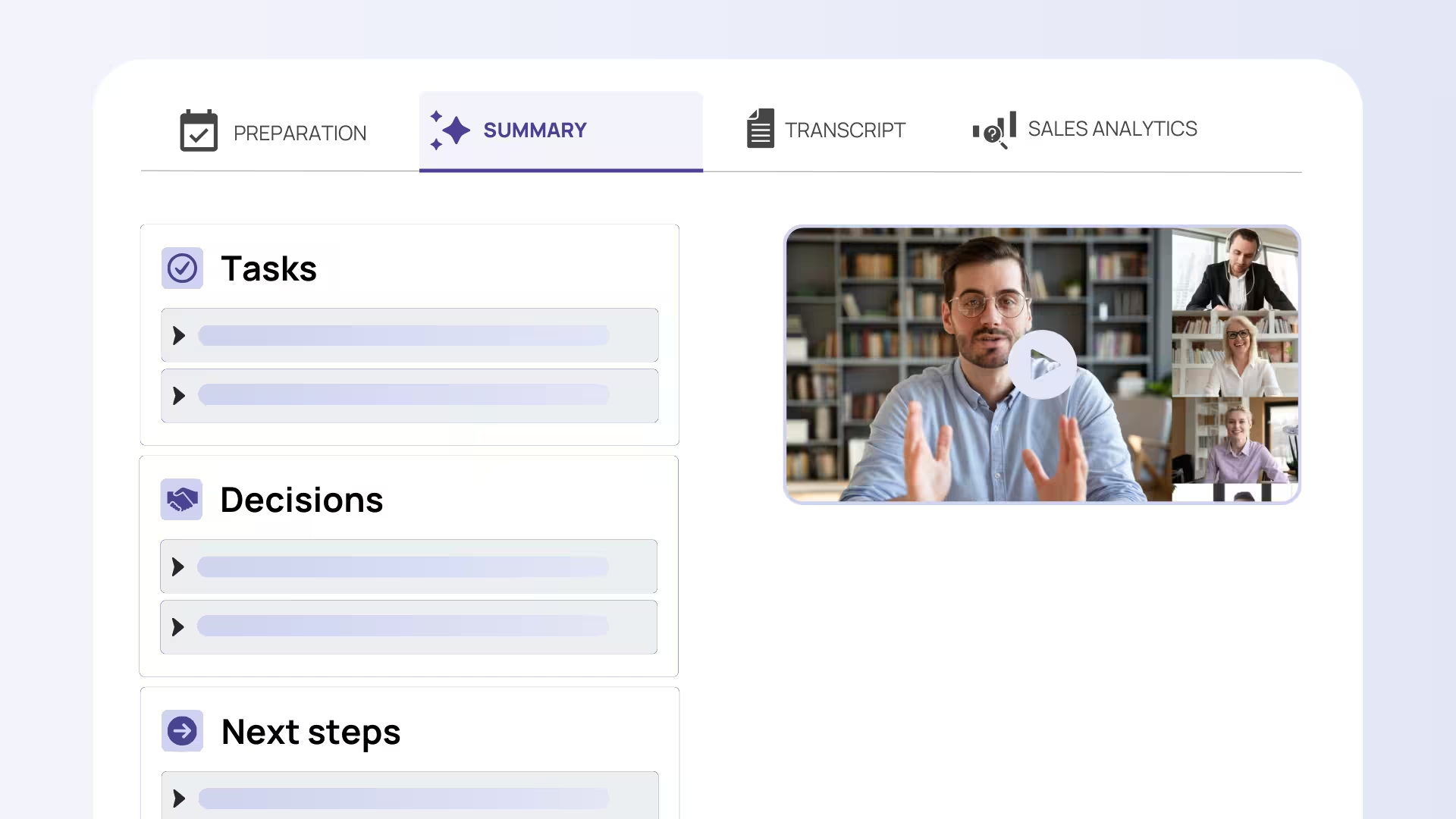
- Automation: Joins meetings automatically via calendar and sends summaries and tasks to your tools
- Custom vocabulary: Add your own terminology for higher transcription accuracy
- No length cap or manual upload: It captures the whole meeting live, no 10-minute limit and no file juggling
Who should use Gemini, and who shouldn’t?
Gemini is ideal for:
- Anyone who needs a quick transcript of a short clip via the app
- Developers or tech-savvy users handling large-scale transcription
- Use cases that allow manual setup and cloud usage
Alternatives like Sally AI are ideal for:
- Businesses needing a user-friendly, well-integrated solution
- Organizations that prioritize data privacy
- Teams that want not just transcripts, but summaries, task extraction, and automation
Conclusion – Gemini transcription: yes or no?
Google Gemini is a capable transcription tool, thanks to native audio models, flexible prompt control, broad language support, and an efficient cost structure. The app is perfect for quick, short clips, and AI Studio handles long files up to around 9.5 hours.
But if your team needs full meetings captured live, deep integration with your existing IT systems and complete data privacy, a tool like Sally AI is the more business-ready choice.
P.S.: You can try Sally AI for free and see how it compares.


